In the last post I made the case: when your coding agent searches the web, the raw query leaves your machine and lands in logs you don't control. This is the follow-up I promised — the actual setup. By the end your agent searches through a box you run, and the built-in search is off.
It's about ten minutes of work. Like every tutorial here, it comes in two halves: the do-it-yourself steps, and a copy-paste prompt at the bottom you can hand straight to your agent to do the whole thing for you.
What we're building
One piece of software does the heavy lifting: SearXNG, a metasearch engine you self-host. Your agent sends it a query; it fans that query out to dozens of public engines, aggregates the results, and hands them back. The engines see a request coming from your box — not from your account, not carrying your cookies.
Three things to wire up: the SearXNG container, an MCP bridge so the agent can call it, and a one-line config change in each agent to switch the built-in search off.
Prerequisites: somewhere that runs Docker — a home NAS (Synology, UGREEN, a mini-PC), a homelab box, whatever you've got — and network reachability from the machine your agent runs on. Same LAN is fine; over Tailscale is better if the two aren't in the same place.
1. Stand up SearXNG on your NAS
Create a folder for it and drop in a docker-compose.yml:
services:
  searxng:
    image: searxng/searxng:latest
    container_name: searxng
    ports:
      - "8080:8080"
    volumes:
      - ./searxng:/etc/searxng
    environment:
      - SEARXNG_BASE_URL=http://YOUR_NAS_IP:8080/
    restart: unless-stopped
Then the one setting that trips everyone up. SearXNG serves HTML by default — the JSON API an agent needs is off until you turn it on. Create ./searxng/settings.yml:
use_default_settings: true
server:
  # generate one: openssl rand -hex 32
  secret_key: "REPLACE_WITH_A_LONG_RANDOM_STRING"
  limiter: false
search:
  formats:
    - html
    - json
limiter: false keeps the bot-protection from throttling your own automated calls — fine on a private box that only you can reach, and it means you don't need a Redis/Valkey sidecar. Bring it up:
docker compose up -d
Now verify the part that matters — the JSON API:
curl "http://YOUR_NAS_IP:8080/search?q=test&format=json"
You want a wall of JSON. A 403 Forbidden means the JSON format didn't take — recheck the formats block and that the container restarted. Don't move on until this returns results; every step after depends on it. Open http://YOUR_NAS_IP:8080 in a browser too and you'll get the front page shown up top — proof it's alive before you wire anything to it.
Keep this instance private — LAN-only or behind Tailscale, never exposed to the open internet. An open SearXNG box gets found and abused by bots, which gets your IP rate-limited or blocked by the very engines you're trying to reach.
2. Bridge it to your agent over MCP
Agents don't speak SearXNG's HTTP API directly; they speak MCP, the tool protocol Claude Code and Codex both support. The bridge is a small MCP server that takes a search tool call, hits your SearXNG JSON API, and returns the results. mcp-searxng does exactly this and needs nothing installed — npx fetches it on demand. It takes one environment variable, SEARXNG_URL, pointed at your box. You'll reference it from each agent's config below.
3. Wire Claude Code
Two moves: add the search tool, remove the built-in one.
Add the MCP server (run this once):
claude mcp add searxng -e SEARXNG_URL=http://YOUR_NAS_IP:8080 -- npx -y mcp-searxng
Then switch off the built-in WebSearch tool with a deny rule in ~/.claude/settings.json (global) or a project's .claude/settings.json:
{
  "permissions": {
    "deny": ["WebSearch"]
  }
}
Deny rules win over everything — the model can't reach WebSearch even in a permissive mode, so it falls back to your SearXNG tool. Restart Claude Code for the change to load; there's no hot-reload for settings.
There's an open bug (#11812) where denying WebSearch/WebFetch can break plugin loading in some versions. If your plugins go quiet right after this change, that's the cause — check whether it's been fixed in your version before assuming your config is wrong.
4. Wire Codex
Same shape, different files. Add the server to ~/.codex/config.toml:
[mcp_servers.searxng]
command = "npx"
args = ["-y", "mcp-searxng"]
env = { SEARXNG_URL = "http://YOUR_NAS_IP:8080" }
Then turn Codex's own web search off in the same file:
[tools]
web_search = false
Start a session and run /mcp to confirm searxng connected and its tool is listed. (Codex's config surface is still marked experimental — if web_search under [tools] doesn't match your build, check codex --help for the current key; the MCP block above is stable.)
That's the whole thing. From here, "search the web for X" routes through your box in both agents, and neither vendor sees the query.
Bonus: make it your own search engine too
The same box is a genuinely nice way to run your own everyday searches — not just the agent's. Add it as a search engine in your browser pointing at:
http://YOUR_NAS_IP:8080/search?q=%s
Set it as the default and your address bar now queries SearXNG instead of Google:
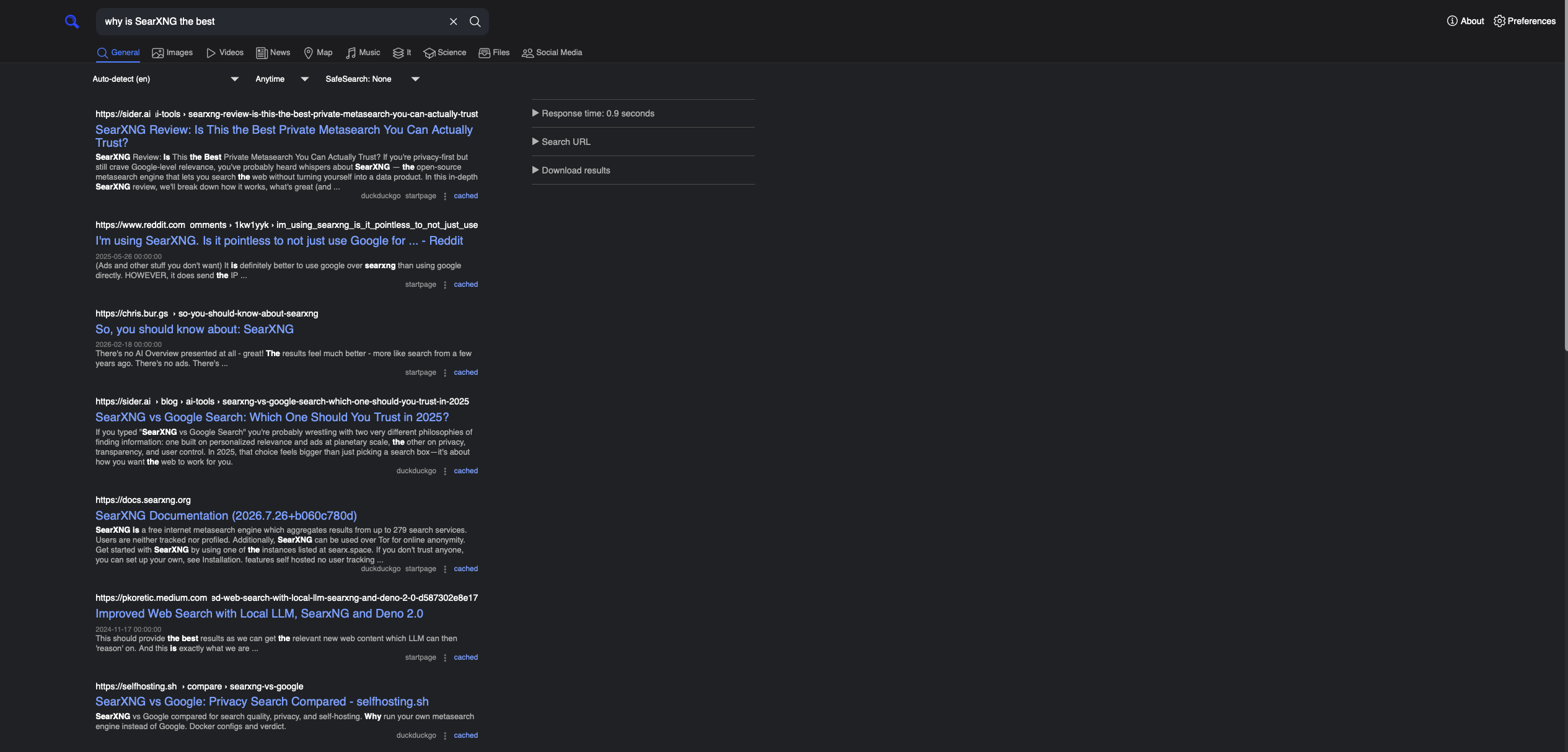
Be honest about what this is: it's not full anonymity. Your NAS still makes the outbound requests, and the public engines still return real results. What changes is that you stop handing Google, Bing, and friends a logged-in, cookie'd profile of every single thing you look up. The query stops being tied to you, and the only search history that exists is the one you choose to keep. More privacy, more control — not a cloak.
So far the box lives on your LAN. Put it inside a Tailscale tailnet instead and it follows you everywhere — the same private search from a café, a hotel, an airport guest network, without opening a single port to the internet. That's exactly where it earns its keep: on a network you don't trust, you probably don't want to hand your search history (or what you're quietly working on) to whoever runs the Wi-Fi. A VPN back to your own box fixes that, and Tailscale is about the least painful way to stand one up. That's the next post.
The copy-paste version
Don't feel like doing it by hand? Paste this into an agent on the machine you want to configure (Claude Code or Codex, running with shell access). It'll stand up the container and wire itself in. Read it first, swap in your NAS IP, and sanity-check each step as it goes — you're giving it your infrastructure.
Set up private web search for this machine using self-hosted SearXNG plus an MCP bridge, then switch my built-in web search off. My Docker host is at YOUR_NAS_IP (change if wrong).

1. In a new folder, create docker-compose.yml for the searxng/searxng:latest image, publishing port 8080 and mounting ./searxng to /etc/searxng.
2. Create ./searxng/settings.yml with: use_default_settings: true; a server.secret_key (generate with `openssl rand -hex 32`); server.limiter: false; and search.formats set to [html, json]. The JSON format is the critical part.
3. Run `docker compose up -d`, then verify the JSON API with `curl "http://YOUR_NAS_IP:8080/search?q=test&format=json"`. A 403 means JSON isn't enabled — fix settings.yml and restart before continuing.
4. If this is Claude Code: run `claude mcp add searxng -e SEARXNG_URL=http://YOUR_NAS_IP:8080 -- npx -y mcp-searxng`, then add {"permissions":{"deny":["WebSearch"]}} to ~/.claude/settings.json.
5. If this is Codex: add an [mcp_servers.searxng] block to ~/.codex/config.toml (command "npx", args ["-y","mcp-searxng"], env SEARXNG_URL=http://YOUR_NAS_IP:8080), and set [tools] web_search = false.
6. Tell me exactly what you changed, and remind me to restart the agent so the config loads.

Show me each command before you run it. Do not expose SearXNG to the public internet.
That's the setup end to end. Next time your agent goes looking something up, it goes through a box with your name on it — and nobody you didn't invite ends up holding the sentence.